How Estimake works
Build the estimate with your team, send it to the client as a link, and see when they open it. This is everything it does, and what it does not.
Anything without a badge is on every plan, including Free. Studio is a 14-day trial with no credit card.
Build the estimate
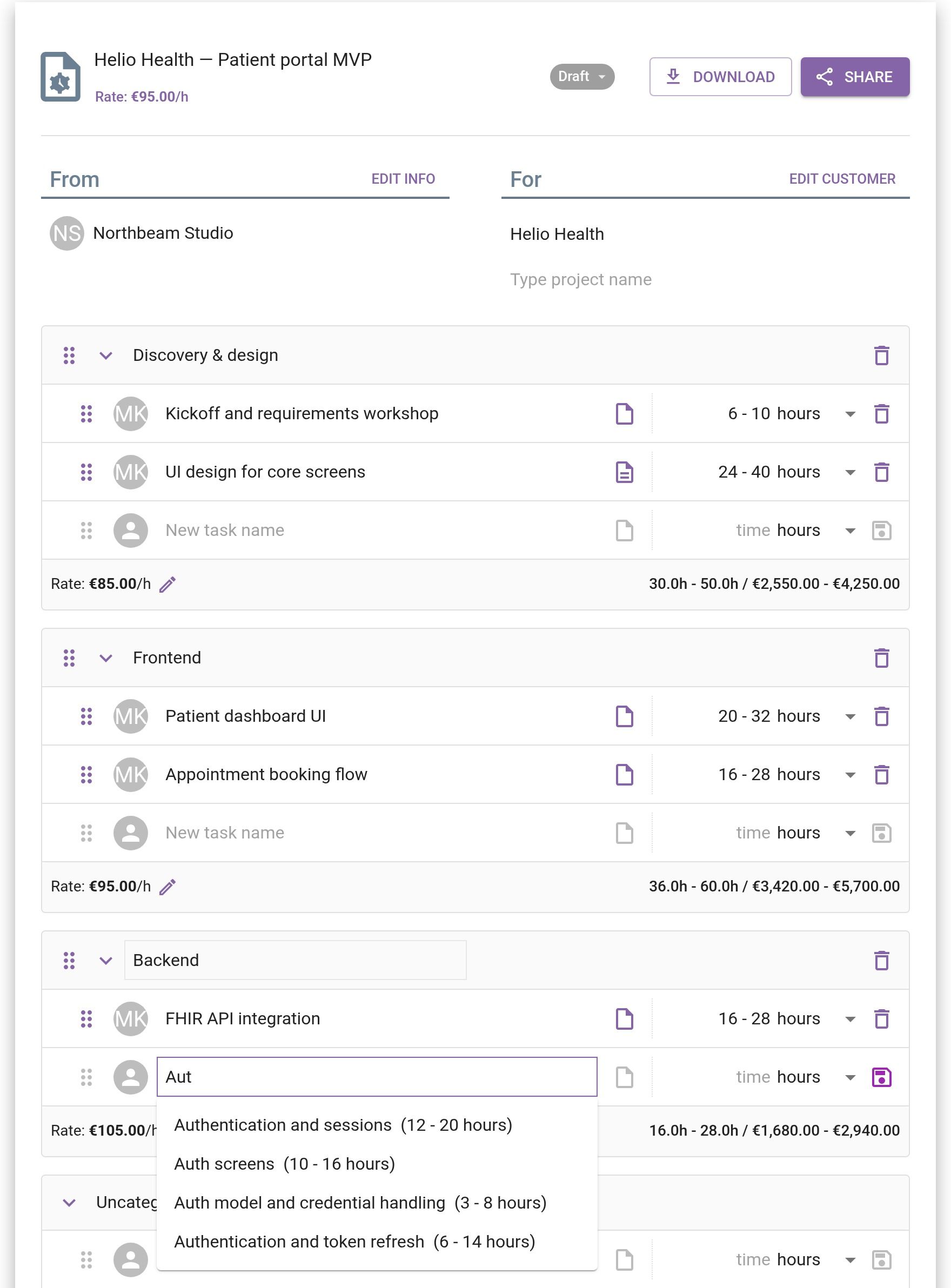
An estimate is categories of tasks, and every task gets a low and a high - the gap is where the risk is. Start from one of the six templates or a blank page. As you type a task, Estimake suggests the tasks and hours your workspace used on earlier estimates, so each one makes the next faster.
- Tasks in categories, reordered by drag and drop
- A low and a high on every task, in hours or days
- A description on any task, explaining the number
- Six templates with about 130 pre-estimated tasks
- Task and hour autocomplete from your workspace's past estimates
- An hourly rate per estimate, overridable per category
- A rate library and a currency per estimate
Estimate together
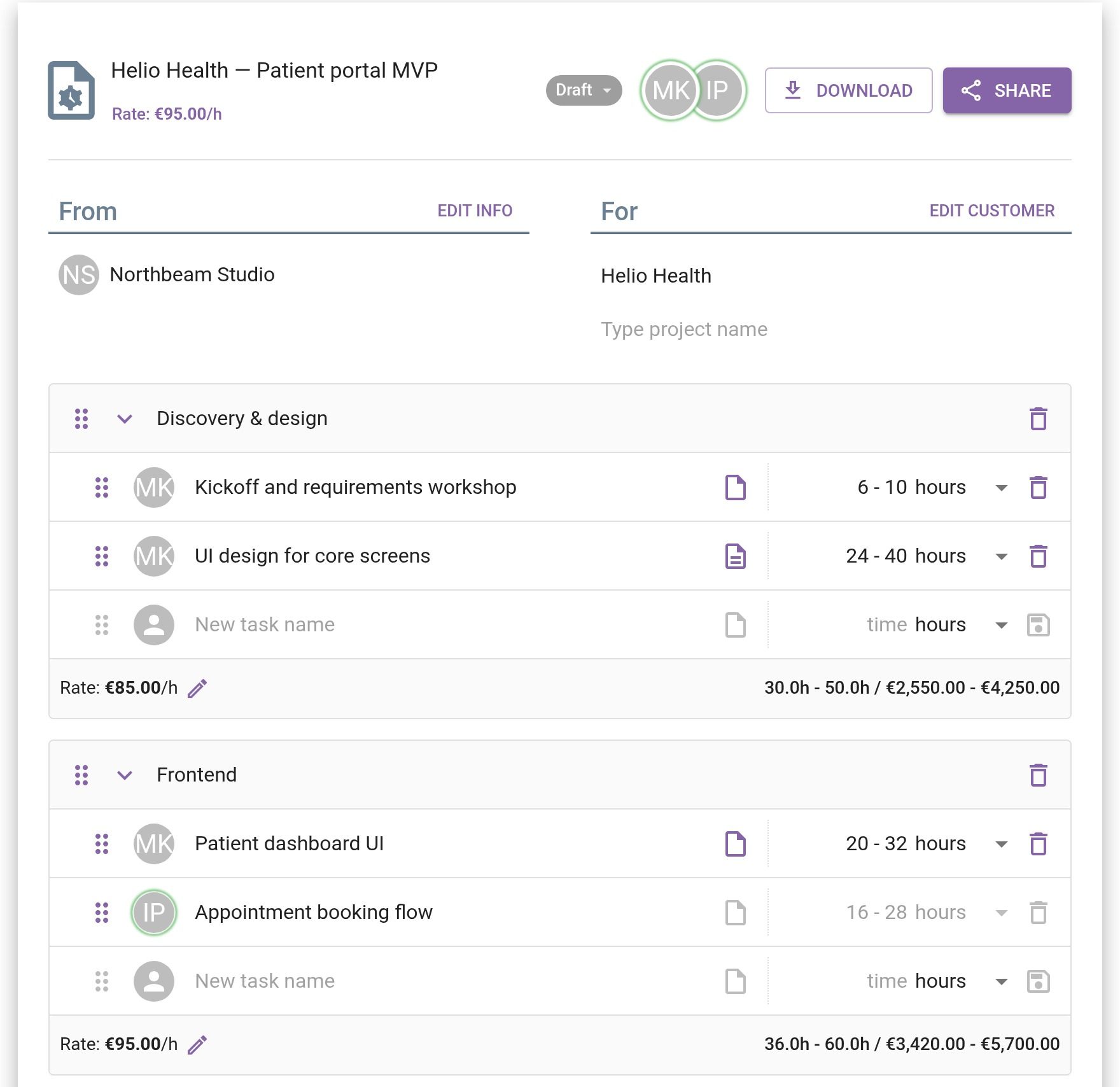
The people who will do the work put their numbers into the same estimate at the same time. You see who else has it open, a row locks while a teammate edits it, and changes reach everyone as soon as a row is saved. Free has one member, Studio ten, Agency no limit.
- Several people editing one estimate at onceStudio
- See who else has the estimate openStudio
- Rows lock while a teammate edits themStudio
Send it to the client
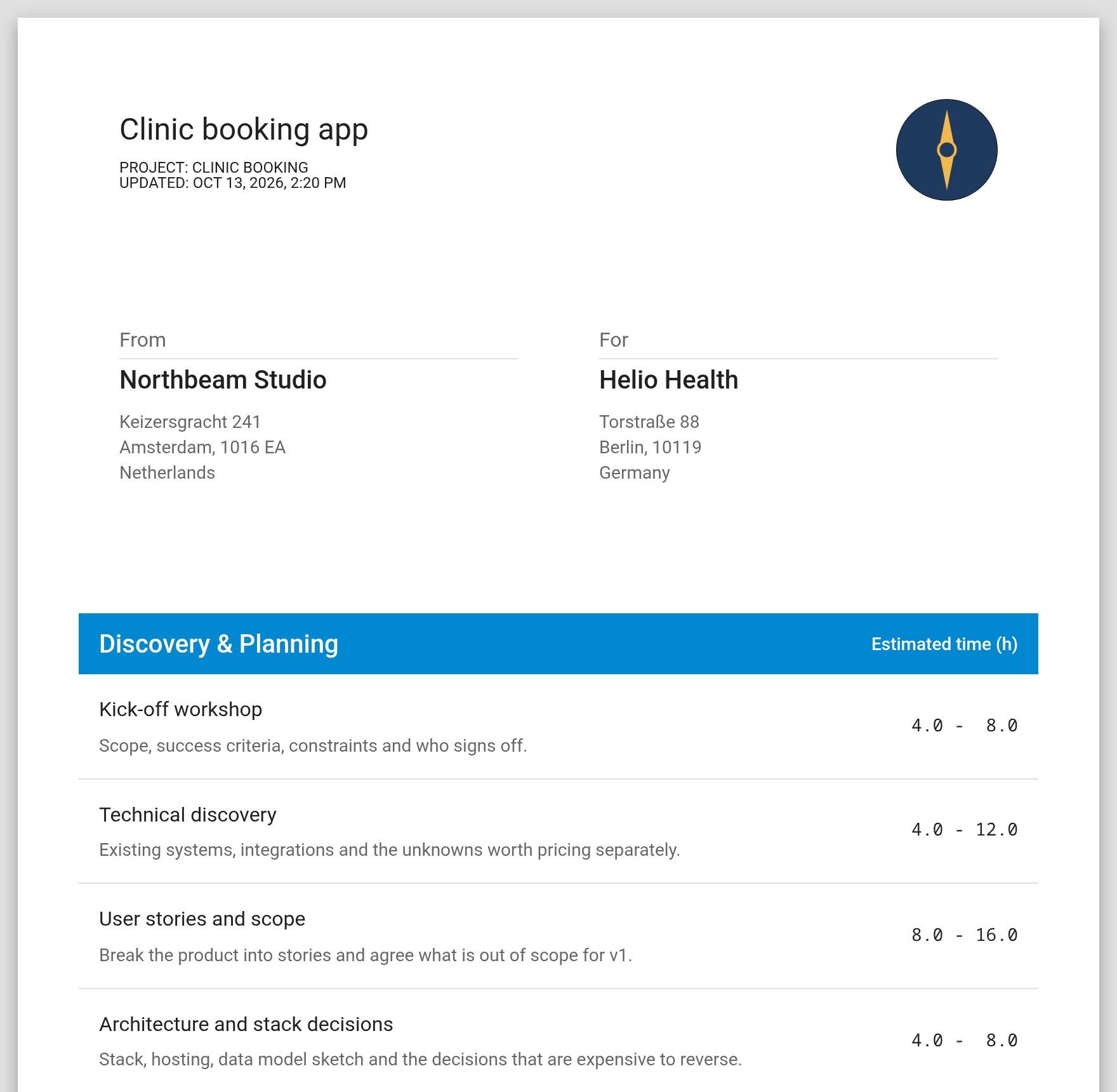
The client gets a link to a clean quote page with your logo and contact details. There is nothing to sign up for and it works on a phone. Add a password if the quote is confidential, or send a spreadsheet or PDF instead.
- A share link the client opens without an account
- An optional password on the share link
- Your logo and contact details on the quote
- Excel, CSV and ODS export
- PDF exportStudio
- No "Created with Estimake.it" footerStudio
Follow up at the right time
Sharing the link marks the estimate Sent, and the client opening it marks it Viewed. You see how many times it was opened and when. Accepted and Lost are yours to set - nothing in Estimake is a client signing off.
DraftSentViewedAcceptedLost
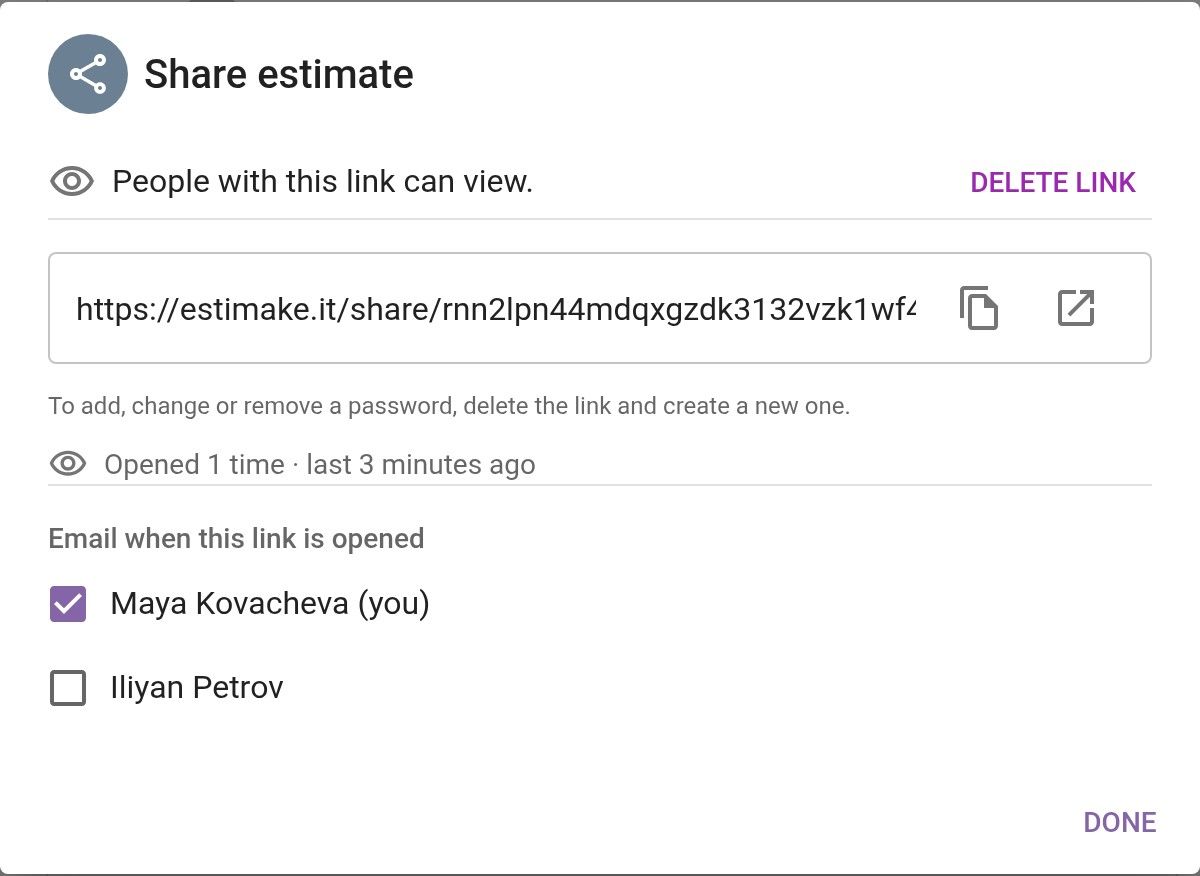
- How often the quote was opened, and when last
- Pipeline: draft, sent, viewed, accepted, lost
- An email to the teammates you choose when the client opens itStudio
Keep it organised
Estimates sit under customers and projects, with filters and an archive. Run several workspaces - an agency and a side brand, say - each on its own plan. Every account can create an API token; the endpoints are documented in Swagger.
- Customers and projects, with filters and an archive
- Duplicate an estimate, into another workspace too
- Several workspaces, each on its own plan
- API access with a personal token
What Estimake does not do
Estimake does one job: the estimate. It does not try to be the rest of the sales process.
- No e-signatures or binding acceptance - you mark an estimate accepted yourself.
- No proposals, contracts or case studies - there is no document designer.
- No payments.
- No CRM integrations out of the box - there is the API, and nothing prebuilt.
- No time tracking against the estimate.
If you need those, keep the tool that does them and attach the estimate to it.
Try it on your next quote
Every new workspace starts with 14 days of Studio, no credit card, and a free plan to stay on afterwards.
Start estimating freeSee pricing